

Stakeholders
The Stakeholders function in Endura allows you to add, manage, and track the organisations or entities you work with by inviting them to connect with your business on the platform. You can view approved and pending entities, send invitations by searching for organisations or using email, and assign relationship types, giving you clear control over your stakeholder network. This helps you build structured, trusted connections and makes it easier to collaborate and share sustainability information across your organisation and value chain.
- Under the Organisations tab, select Stakeholders.
- Then Click on “View more”.
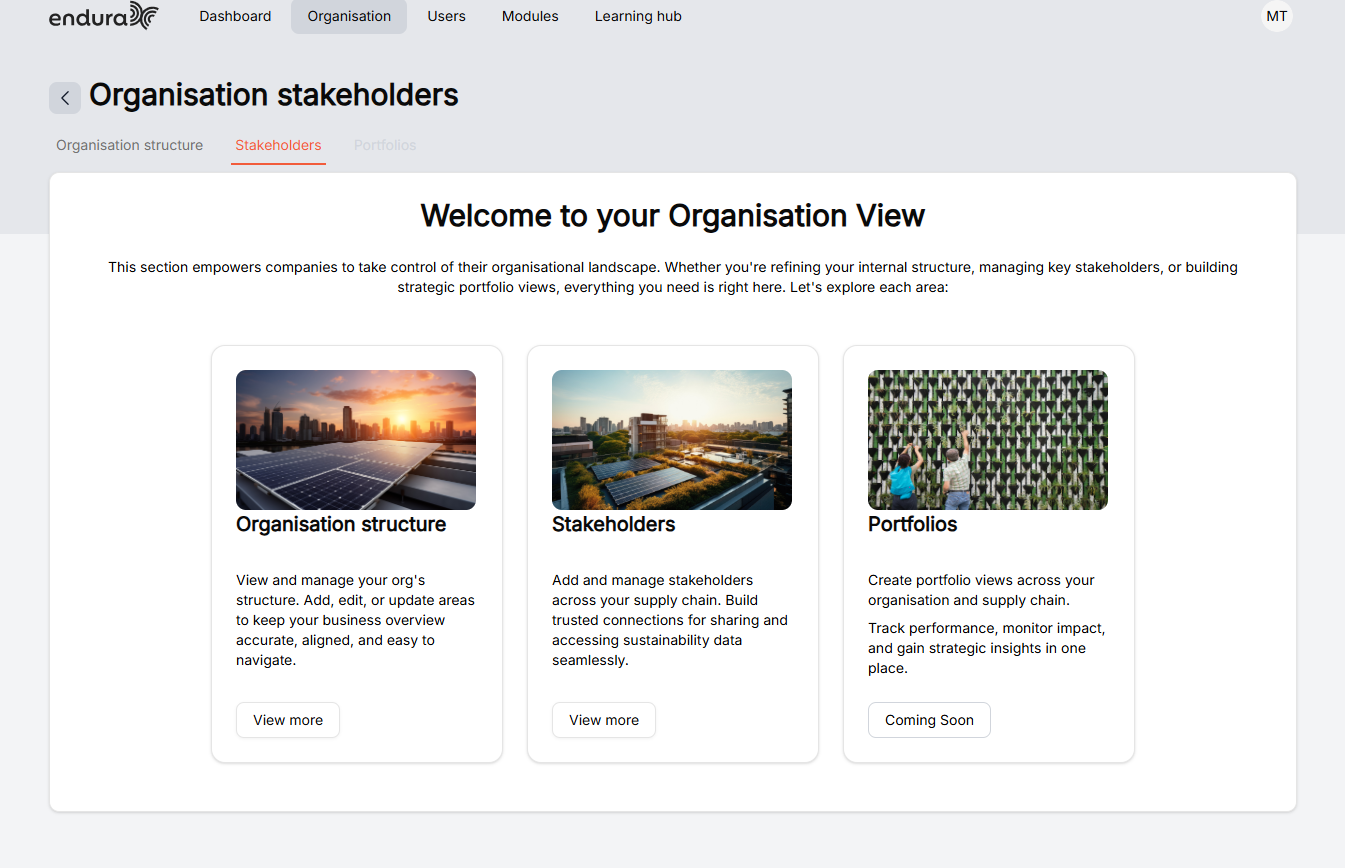
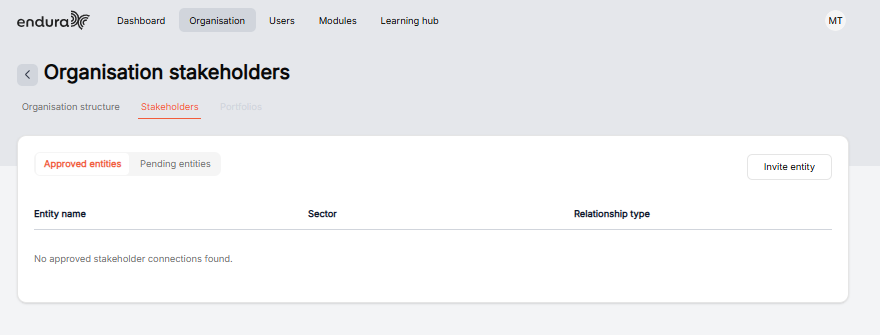
Approved entities are stakeholders who have accepted your invitation and are now connected to your organisation, allowing you to collaborate and share sustainability information seamlessly.
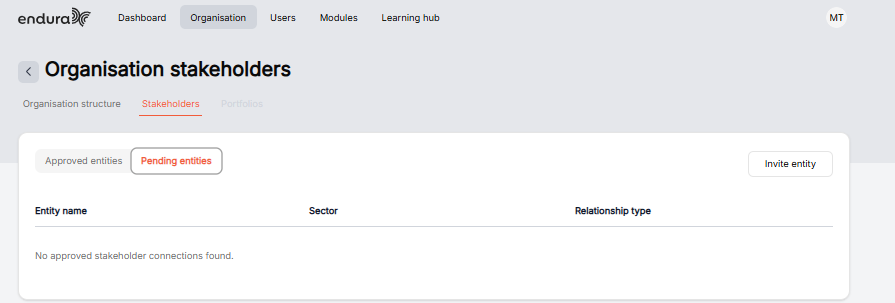
Pending entities are stakeholders you have invited but who have not yet accepted the request, meaning the connection is still waiting to be confirmed.
- To view approved entities, click on the “approved entities” tab.
- To View Pending entities, click on the “Pending entities” tab.
- If you’d like to invite a stakeholder to your organisations structure, click on “Invite entity”.
Invite Stakeholder Options
Search for Organisations: Select this option if the organisation already exists on the platform. Use the search field to find the organisation and submit a request to join it. The organisation administrator will review and approve your request before you gain access.
Invite by Email: Select this option if you know the email address of an organisation administrator or team member. An invitation will be sent to them, allowing them to connect you to the organisation and grant the appropriate access once accepted.
Search for Organizations
- Type your organization’s name or prefix.
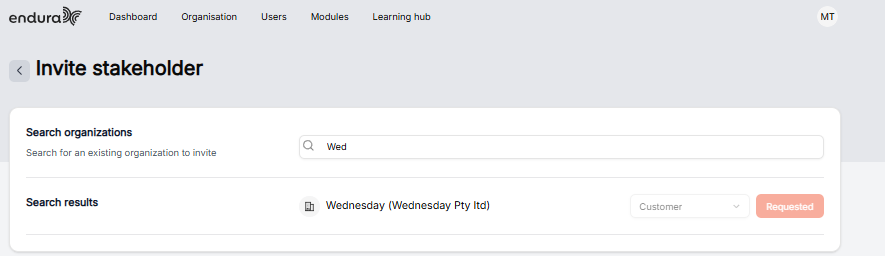
- Click on the drop-down and select the relationship type of your stakeholder.
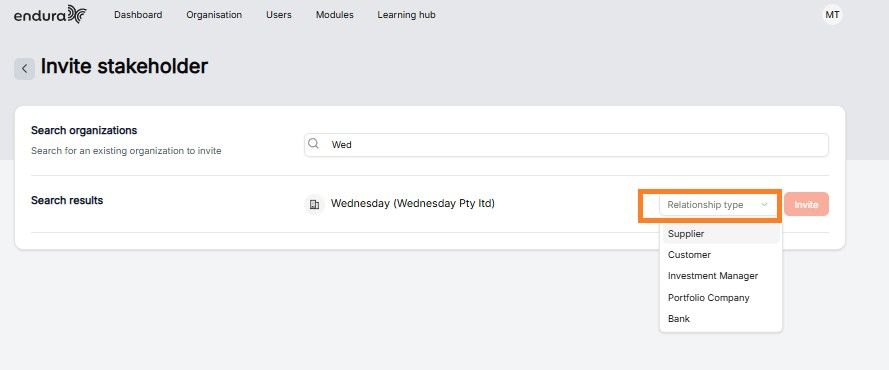
- Click on “Invite”.
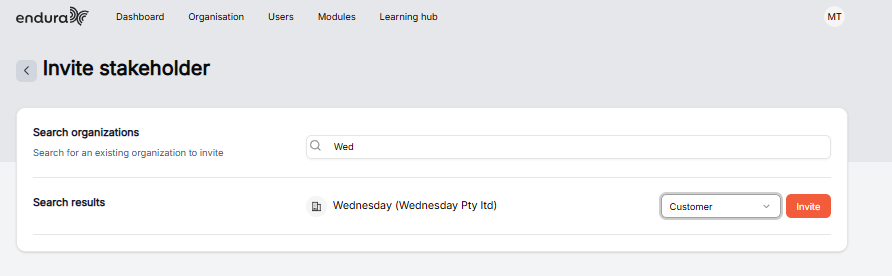
- The icon will then change from invite to” Requested”.
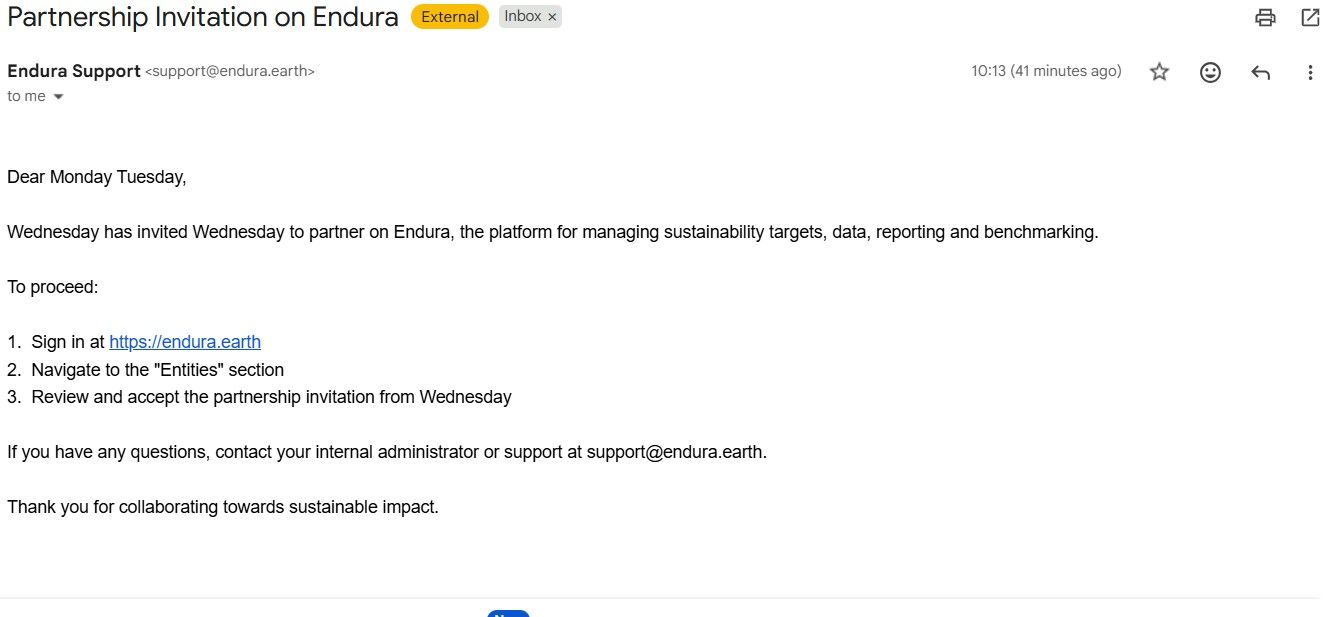
- The system sends an invite to your email.
- To join the company as a stakeholder, click the link and either sign in or create an account, then follow the steps to join the organisation.
Invite by email
- To invite a stakeholder by email, enter their email address, write a message, and add your organisation’s name.
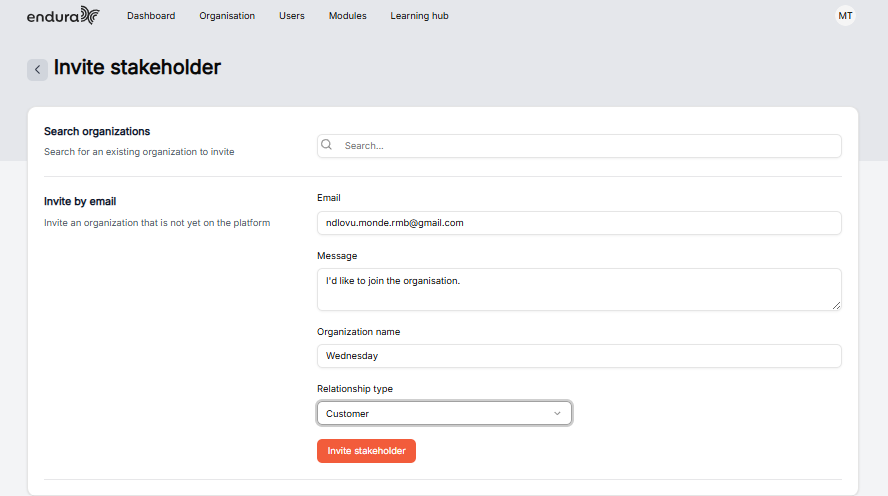
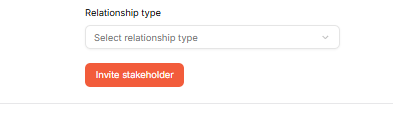
- Next you need to select the stakeholder relationship type in the drop down.
- Then Click on invite Stakeholder.
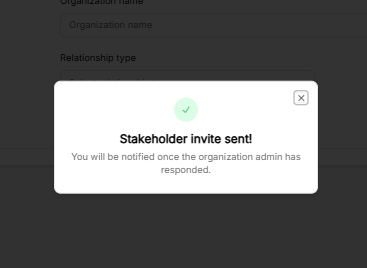
- To confirm that the email was sent successfully, a notification will appear saying “Stakeholder invite sent!
- Following that an email will be sent to the stakeholder’s email.
- To join the company as a stakeholder, click the link and either sign in or create an account, then follow the steps to join the organisation.